Lucky7even Mobile in Australia: Browser Play, Android and iOS Install Options
 Available in AU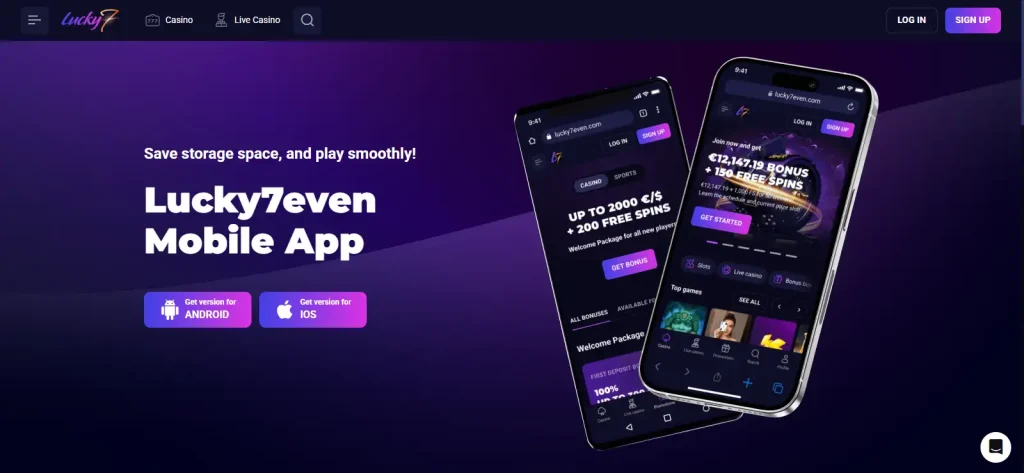
Table of Contents
- Browser play, web-app installation and store distribution are not the same thing
- The official Android web-app flow uses the browser's install command
- On iPhone, Lucky7even shows an Add to Home Screen route
- A phone shortcut does not change the payment methods available to an account
- What to check before using Lucky7even regularly on a phone
- Mobile support covers the product surface, but individual game availability can still differ
- Registration and verification stay attached to the account, not the install method
- You do not need to install the web app to use Lucky7even on mobile
- Current Lucky7even mobile access options
- Using Lucky7even on an Australian phone in practice
Section element
Australia mobile guide
Lucky7even supports mobile-browser play, and its current English-AU install page gives separate Android and iPhone installation routes. The most precise way to describe the setup is browser access plus web-app installation options: Android users are shown an “Install App” flow from the browser menu, while iPhone users are shown how to add the site to the Home Screen. The same page also presents Android and iOS version links. Those routes should not automatically be described as verified Apple App Store or Google Play distribution. For Australian users, the practical result is that the casino can be opened directly in a mobile browser and can also be placed on the phone like a web app. Games, payment access and registration still depend on the same account and regional rules used elsewhere on the site.
Three ways to think about mobile
Browser play, web-app installation and store distribution are not the same thing
Mobile browser
Lucky7even’s FAQ says its games are mobile-friendly and can be launched by opening the site on a mobile device. This is the simplest route because it does not require an installation step.
Web app on the Home Screen
The official install page gives browser-based installation instructions for Android and iPhone. This creates a more app-like launch shortcut while still using the website as the underlying product surface.
Native app-store listing
An Android or iOS install option is not the same thing as a verified public Google Play or Apple App Store listing. Lucky7even provides browser-based access and home-screen installation instructions for supported mobile devices, so those routes can be used without assuming a native-store app exists.
Android installation
The official Android web-app flow uses the browser’s install command
On the current Lucky7even install page, the Android instructions begin from the Lucky7even home page. The user opens the browser menu, chooses “Install App” and then confirms the installation. That sequence is a web-app installation flow, so it is more accurate than describing it as a conventional Play Store download.
The practical advantage is convenience: the site can be opened from a Home Screen icon without searching for the URL each time. The casino account, login and available content remain the same service rather than a separate Android-only account.
If a particular game is the reason for installing the shortcut, first confirm that the title is visible in the current Australian lobby. Lucky7even’s game library is broad, but some providers have Australia-specific restrictions, so the mobile shortcut does not expand the underlying catalogue.
iPhone installation
On iPhone, Lucky7even shows an Add to Home Screen route
The iPhone instructions on the official page use a familiar web-app pattern. The user opens Lucky7even in the browser, taps the Share control, chooses “Add to the Home Screen” and confirms with “Add”. This places a launch icon on the phone without requiring the page to be described as a verified App Store application.
On mobile, the word “app” can refer to several different things: a mobile website, a Home Screen web app, a downloadable package or a native store application. Lucky7even’s official install page specifically shows browser and Home Screen steps for iPhone, so those instructions can be followed without treating the shortcut as proof of an Apple App Store listing.
The same account considerations apply after installation. If identity checks are requested, they belong to the account rather than the phone itself, so changing the mobile access method does not change the verification requirements.
Mobile payments
A phone shortcut does not change the payment methods available to an account
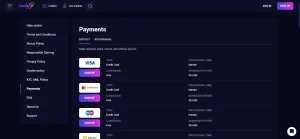
Lucky7even presents payment options through its account and cashier. The official FAQ says withdrawal options depend on what is available in the user’s region. That means installing the site on Android or iPhone should not be treated as a way to unlock a payment method that is otherwise unavailable.
For the current public payment categories and the difference between displayed methods and account-level cashier availability, use the payment methods.
Practical device checks
What to check before using Lucky7even regularly on a phone
| Check | Why it matters | Practical approach |
|---|---|---|
| Browser | The official mobile route depends on the browser and web-app features. | Keep the browser updated and use the official site rather than an old saved third-party page. |
| Connection | Casino games require ongoing data exchange while a session is active. | Use a stable connection, especially for live games where interruptions can affect the viewing experience. |
| Screen orientation | Different games and cashier screens can fit portrait or landscape layouts differently. | Rotate the device when controls or game information feel cramped instead of assuming the page is broken. |
| Login security | A Home Screen icon can make account access quicker on a shared or unlocked phone. | Use the phone’s normal lock features and avoid saving credentials on devices you do not control. |
Games on mobile
Mobile support covers the product surface, but individual game availability can still differ
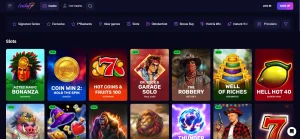
Lucky7even’s FAQ confirms mobile-friendly games, and the current AU-facing site includes both online pokies and live-casino categories. That supports a broad mobile-use case without requiring a separate mobile game catalogue.
The important limit is the same one that applies on desktop: a large global library does not guarantee that every provider or title is available in Australia. The Lucky7even games guide explains the current AU categories and the provider restrictions that matter locally.
This is another reason not to judge the mobile product by a generic “thousands of games” headline alone. A better sequence is to find the game on the AU site, open it on the phone you actually use and then decide whether the browser or Home Screen route is more convenient.
Account access
Registration and verification stay attached to the account, not the install method
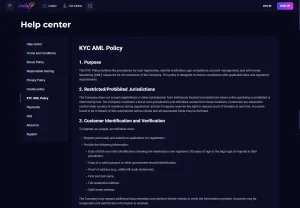
Using Lucky7even in a browser, adding it to the Home Screen or following an Android/iOS install link does not remove the normal account process. Lucky7even can request identity information and KYC documents, including in connection with withdrawals.
The device method and the account process remain separate. Browser play or a Home Screen shortcut changes how the casino is opened, not how the account is created or verified. The registration and verification guide covers sign-up, email verification, KYC expectations and account controls, all of which continue to apply regardless of the mobile access method.
Choosing the simplest route
You do not need to install the web app to use Lucky7even on mobile
The official FAQ already supports direct mobile-browser play, so installation is best treated as a convenience choice rather than a requirement. If you only use Lucky7even occasionally, a bookmarked browser page can keep the setup simple. If you use it regularly, the Home Screen route can reduce the number of taps needed to reopen the same service.
This distinction also helps when comparing third-party mobile reviews. A page that calls Lucky7even an “app” may be describing the same browser-based product in a different way. The official install instructions give a more concrete test: on Android the site can be installed from the browser menu, and on iPhone it can be added to the Home Screen. That is enough to explain the current user path without assuming a separate native-store product.
Whichever route you choose, start from the official AU-facing site and then use the Lucky7even review to check the wider Australian product context. The choice of icon or browser tab does not change the need to confirm the games, payments and account requirements that matter to you.
Current Lucky7even mobile access options
Lucky7even’s official English-AU install page shows Android and iOS options. On Android it gives a browser-menu installation route, while on iPhone it directs users through the Share menu and Add to Home Screen. The official FAQ also states that games can be opened on a mobile device through the website, supporting browser play without requiring a native-store listing.
Everyday mobile use
Using Lucky7even on an Australian phone in practice
For most Australian readers, the mobile browser is the clearest starting point because Lucky7even explicitly supports mobile play through the website. If a Home Screen shortcut is more convenient, the official install page provides Android and iPhone setup steps and also presents Android/iOS version links. Those install choices do not by themselves establish a verified App Store or Google Play listing. Once the site is open, the same account, game, payment and verification rules continue to apply. In practice, check the game or cashier feature you need on the AU-facing site, use the official installation instructions for a shortcut, and keep account security separate from the choice of browser or icon.